A pure-Rust GUI framework for desktop applications that have to last
Accessibility, internationalization, rich text, themes, persistent settings, drag-and-drop, charts and a scene canvas ship in the framework itself. Underneath is a retained widget tree with SwiftUI-style layout negotiation, an AccessKit bridge on every window, and a wgpu renderer that draws nothing while nothing moves.
cargo add teksilo · Mozilla Public License 2.0 · Linux, Windows and macOS · version 0.8.0
use teksilo::prelude::*;
use teksilo::widgets::Button;

fn main() {
    let window = WindowConfig::new()
        .title("Hello Teksilo")
        .size(400, 300)
        .root(|tree, _state| {
            let button = Button::new(lit!("Click me"))
                .on_activate_fn(|_ctx| println!("clicked"));
            tree.add(button)
        });

    TeksiloAppBuilder::new()
        .theme(intui::light())
        .initial_window(window)
        .run();
}
Six things to know before you choose it
Six things the framework does differently, and each one has a cost attached that you should know about before you commit to it.
Batteries, not a shopping list
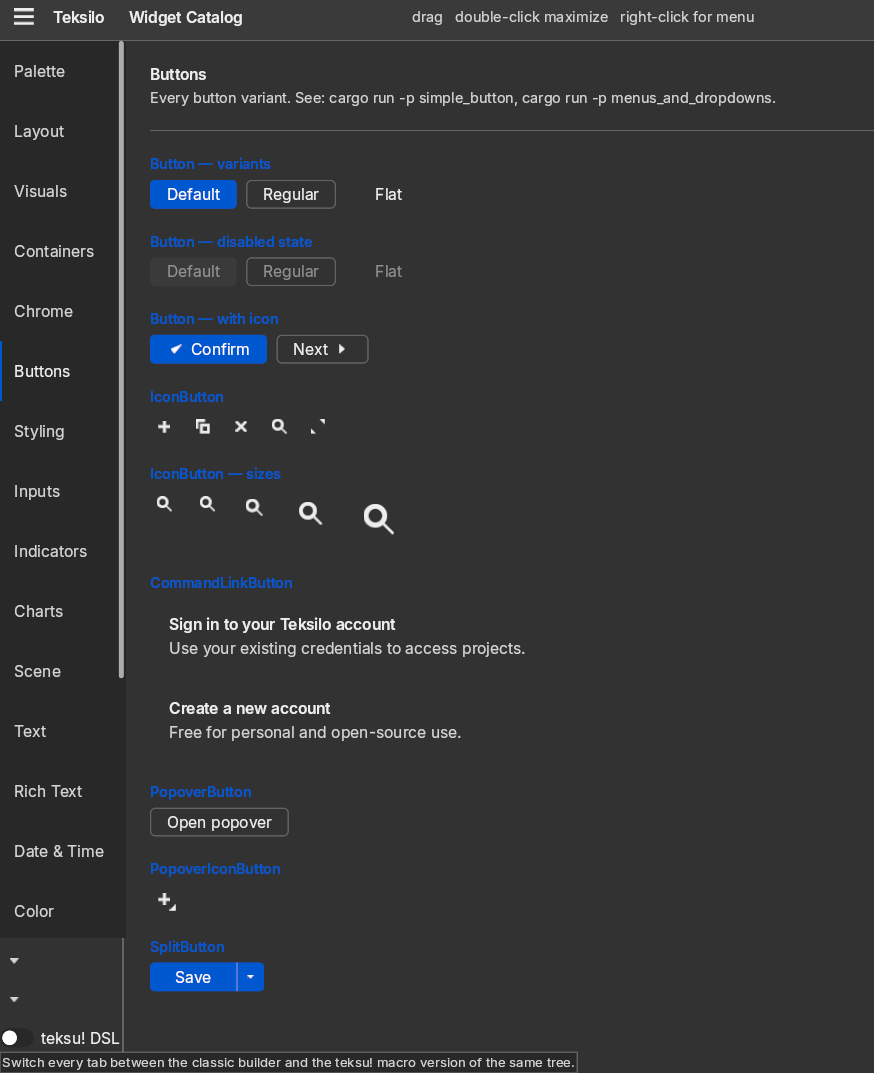
Around 100 widgets and 28 layout primitives. Rich text, tables, docking, a scene canvas, charts and drag-and-drop are in the framework, not in packages you go and find.
Accessibility at the trait level
Every widget declares its role and name in an accessibility() method beside layout_response and paint, so the screen-reader tree is built with the widget tree rather than reconstructed from it, on all three systems.
Internationalization checked at compile time
tr! reads your Fluent files at compile time: a missing key or a wrong argument is a build error, not a blank label in front of a user. Right-to-left and ICU formatting included.
One reactive type, one thread
State is Signal<T> and nothing else. A color change repaints, a size change relayouts, and nothing rebuilds that does not need to. UI work is main-thread only, and the compiler enforces it.
An idle application draws nothing
Text and graphics share the same wgpu pipelines, and a typical frame is five or six draw calls. When nothing moves the loop waits: no frame, no GPU submit, no wake.
Text is the foundation, not a widget
The document model and the typesetter are required crates, not add-ons. Even a plain label routes through them, so no string gets a fast path that breaks on the first non-Latin character.
What it does today
Not a roadmap. This is the framework as it stands at version 0.8.0. Anything optional, off by default or unverified is labeled as such.
- Around 100 widgets. Buttons, lists, tables, trees, tabs, menus, dialogs, popovers, file, color and date pickers, a calendar, a wizard, a breadcrumb and a custom title bar, across 135 modules.
- 54 runnable examples. From a single-button window to a docking IDE shell, a scene canvas, a code editor and a data grid.
- Rich text underneath everything. Tables, lists, undo and redo in the document model; shaping, bidirectional text and color emoji in the typesetter. Even a plain label routes through it.
- Data views over your own type.
ListModel<T>andTreeModel<T>driveListView,TreeView,GridView,TableView,TreeTableView,RepeaterandTabBar<T>; the delegate receives a&T, with no variant type in between. - Projections built into the models. Sort and filter, per-view tree expand state, shared selection, drag reorder, and descendant-to-ancestor tri-state checkboxes.
- Four theme presets. Int UI light and dark built in, plus Material 3, Fluent and macOS Aqua as separate opt-in crates. Fluent and macOS Aqua carry widget chrome as well as colors, filling 25 and 28 of the 41 style slots; Material 3 fills three so far and is tokens first.
- Theme switching without a rebuild. Focus, scroll position, text cursor and selection all survive the swap.
- An AccessKit bridge on every window. Bound on Linux, Windows and macOS, from a single window constructor.
- WCAG 2.1 AA contrast checked in CI. A unit test holds both default presets to 4.5:1 for text pairs and 3:1 for the focus indicator, over the real relative-luminance formula, on every CI run.
- A high-contrast palette that follows the OS. Applied as a repaint-only color projection whenever the system asks for increased contrast.
- Translations checked at build time.
tr!reads the.ftlfiles at macro expansion; a misspelled key does not compile. - Locale-aware formatting. ICU4X-backed numbers and dates, right-to-left layout, and re-rendering when the locale changes.
- One rebindable input pipeline. Keyboard shortcuts, menus and accessibility actions share it, so a user remap updates every surface that names the binding.
- Zero frames when idle. Not almost zero: no frame, no GPU submit, no CPU wake while nothing is moving.
- Drag and drop in both directions. Typed payloads inside the application, plus inbound OS drops and outbound export to other applications, which is Copy only across process boundaries.
- Persistent settings. A reactive store, typed structs with migrations, atomic writes, quarantine of corrupt files, and window geometry restored and sanitized against the current monitor.
- A docking layout. A fixed center slot with four collapsible, splittable, draggable sides, an activity rail, drag-to-dock, and layout state you can export and restore.
- A scene canvas. A pan and zoom viewport where full widgets and lightweight paint-only items coexist under one transform, both of them accessible.
- Charts. Bar, line and pie with a donut variant, generic over your data type, with a pluggable axis-label formatter.
- A headless test suite. 6,000+ tests run with no window, no GPU and no display server, and a simulated clock makes time-dependent behavior deterministic.
- A debug inspector. F12 in debug builds opens nine tabs: tree, properties, accessibility, theme, locale, focus, shortcuts, overlays and data models.
- A widget previewer. A Storybook-style navigator, canvas and knob form, with live property editing, multi-variant rendering and PNG export.
- Agent automation over MCP. 27 tools to read the live accessibility tree and drive an application in-process; the bridge into a running app is debug-only, on Linux and macOS.
- Optional async, off by default. A main-thread executor plus tokio and async-std reactor adapters, for the handlers that want to await something. The core stays synchronous and pays nothing.
What is committed
The license and the governance are settled and written down. The API is not, and the project says so plainly rather than letting you assume otherwise.
- The license is the Mozilla Public License 2.0, and the copyleft boundary is the file. You can ship Teksilo inside commercial and closed-source software without restriction. Modifications to Teksilo’s own files must be published under MPL-2.0 if you distribute them; application code that merely uses Teksilo stays under whatever license you choose.
- No API stability is promised before 1.0. Breaking changes are expected between 0.x minor versions, and that is stated in the README rather than discovered in a build. Every crate in the workspace shares one version number, so there is exactly one thing to pin and one thing to read release notes for.
- Contributing costs a sign-off, not a copyright assignment. There is no contributor license agreement. A DCO sign-off on each commit is enough, contributions stay under MPL-2.0, and nobody is asked to hand over ownership of what they wrote.
- The trademark is separate from the license, and nominative use is free. MPL-2.0 grants no trademark rights, so a distributed fork needs its own name and branding. Saying that an application is built with Teksilo, or writing about the framework, needs no permission from anyone.
It is running a real application
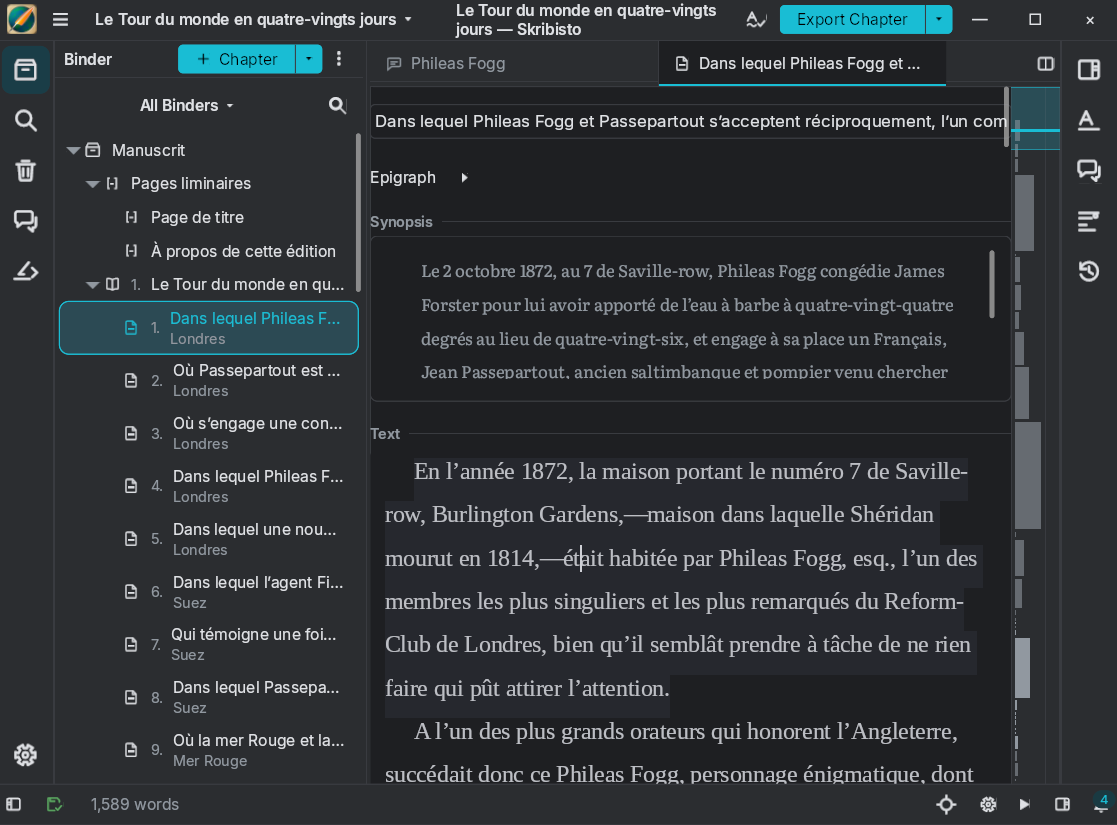
Skribisto 3 is a writing application for long-form work, built on Teksilo end to end and released at the same time as it. Its binder, its tabbed editor, its synopsis pane and its accessibility tree are this framework. That is the honest extent of the evidence: one application of real size, exercising the rich-text stack, the data views and the accessibility tree at once, rather than a set of demos.
Where the project actually is
Teksilo is at version 0.8.0, and every crate in the workspace shares that number, so there is one thing to pin and one set of release notes to read. Breaking changes are expected between 0.x versions. Production deployment is limited to FernTech's own applications, and the 0.x label reports exactly that scope.
Under the hood
A retained tree. Built once and mutated, not rebuilt each frame. The Widget trait has exactly one required method, layout_response. build() composes children, paint() draws chrome, accessibility() declares the role and name, and a single widget can do all three. Most of the catalog is composition over a handful of primitives.
Two-phase layout. A parent proposes a size; each child answers with its wanted size, a grow weight, a compression floor and a shrink weight; the parent settles the main axis before measuring the cross axis. That ordering is what makes height-for-width work, so wrapped text reports the height it will really occupy and that height propagates up the tree. Spacers and stretch are ordinary widgets with no special case in the engine.
One reactive type. Signal<T> holds state, map derives from it, and each binding declares the level it needs. That is why switching theme keeps focus, scroll position and selection: set_theme updates a signal and dirty-marks nodes rather than rebuilding anything.
One GPU path. Text and graphics share the same wgpu pipelines, and the loop’s rule is that an idle application draws zero frames.
The text stack is separate, and toolkit-agnostic
It is ours, but it is not Teksilo. Two MPL-2.0 crates, written first and already at v1.x, that Teksilo requires: text-document for the document model, and text-typeset for shaping, bidirectional text, line breaking and the glyph atlas. Neither knows anything about widgets, so both are usable on their own and are versioned on their own schedule.
That split is where the real text testing lives. Teksilo’s own text tests run against a mock backend with fixed metrics, which verifies caret arithmetic and editing logic but not shaping; complex-script and bidirectional behavior is tested in those two repositories, against real fonts.
The scale cuts both ways
41 crates, more than 450,000 lines of Rust, 6,000+ tests in Teksilo and 8,000+ across the whole stack. Architecture, design review, code review and final acceptance were human; code generation and routine refactoring were LLM-assisted under that review, under seven authorship rules published in the repository.
A framework this wide, this young, and reviewed by a team this small is not the same proposition as one with a decade of contributors behind it, and pretending otherwise would only waste your time. The tour says which parts are a prototype, which are off by default and which are unverified on a platform.